Visit the Forum >>
Visit the Classifieds >>

NEWER POST

Dear PoPville - Wondering about Buying vs Leasing a Car

OLDER POST

Dear PoPville - Anyone Noticing a Cab Shortage?

Dear PoPville – Anyone Figure Out How to Stop Alert DC Messages from Going into Gmail Spam?


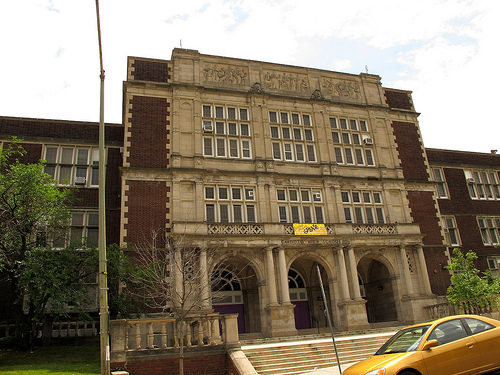
Photo by PoPville flickr user Mr. T in DC

Dear PoPville,

I find a major flaw with the AlertDC email notices is that my gmail will only recognize them as spam. I’ve tried filtering the messages but can’t find a reasonable way to make never send them to spam. It looks like they all come from a different email address. I’m assuming others might have this issue and I’m wondering if anyone has found a way around this?

Category: Dear PoPville

By: | 30 January 2013 2:30 PM | 12 Comments

  • the same thing started happening to me recently. i have tried filtering as you have and nothing seems to help. my comment is not helpful, but at least you’re not the only one!

  • Truxton K

    I had this problem for a while. I found that actually opening the emails helped. I wasn’t doing so because the subject and visible first line were often all I needed to see. I had to check my spam folder for about a week and keep reclassifying AlertDC emails to my Inbox, but it seems to have worked.

  • Anonymous

    Click the checkbox next to the AlertDC message…. Click the “Not Spam” button above. It should remove it from the Spam filter…

  • I tried adding a filter the other day to never mark as spam any email that has “Alert DC” in the subject or text. It seems to be working, but we’ll see. Seems like they randomly get sent to spam, like others said, if I delete without reading for a while. Occasionally I go through and mark as not spam but it always happens again.

  • I think part of the difficulty is that each alert comes from a different email address — alert38837@alert… vs alert alert38322, and so on.

  • I am assuming this is happening to you in Gmail. I was having this same problem and managed to fix it. Go to your ‘settings’ page and click on the ‘filter’ tab. From there create a new filter and in the ‘from’ field add ‘@alert.ema.dc.gov’. On the next page select ‘never mark as spam’. This should fix your problem. It’s been working for me since I set it up a few days ago.

  • JinMtVTri

    Thanks everyone – I’ve had this problem too, recently. Wasn’t sure how to fix it.

  • noah

    you can also try adding a wildcard to your to: filter ‘*@alert.ema.dc.gov’. Though gmail might always assume a wildcard at the beginning and end.

  • alex

    how do you sign up for the alerts?


NEWER POST

Dear PoPville - Wondering about Buying vs Leasing a Car

OLDER POST

Dear PoPville - Anyone Noticing a Cab Shortage?
Bloomingdale Rez
7:00pm

Sorry that you have had a problem, but a BFP is almost essential in the neighborhood for...

Five-foot-wide storm sewer line Going into the 100 block of Rhode Island Ave NW to help Mitigate Flooding in Bloomingdale
S.R.
4:27pm

you might need some help Self Righteous: adj. confident of one's own righteousness,...

Central Union Mission Starts Move From 14th and R St, NW in Logan Circle
Blithe
4:07pm

Rave: shopping in NYC. I bought my first pair of Doc Martens. Now I'm breaking them in....

Random Reader Rant and/or Revel
Anonymous
3:46pm

You think that New Orleans doesn't have a sizeable homeless population? I suggest you do...

Central Union Mission Starts Move From 14th and R St, NW in Logan Circle
Anonymous
3:23pm

Idiots? Is that what the kids call sensible people these days?

Renovated DNV Donovan House Rooftop Bar Looking Sweet