Visit the Forum >>
Visit the Classifieds >>

NEWER POST

Wed. Afternoon Rental Option - Adams Morgan

OLDER POST

From the Forum

Dear PoPville – Anyone Figure Out How to Stop Alert DC Messages from Going into Gmail Spam?


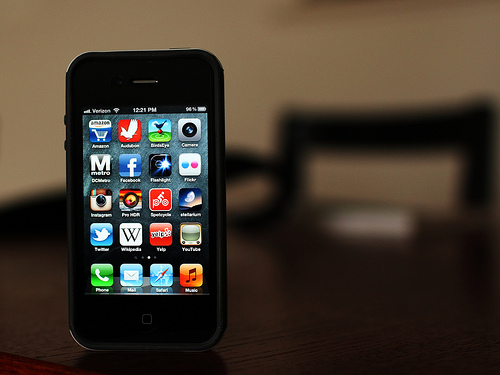
Photo by PoPville flickr user Mr. T in DC

Dear PoPville,

I find a major flaw with the AlertDC email notices is that my gmail will only recognize them as spam. I’ve tried filtering the messages but can’t find a reasonable way to make never send them to spam. It looks like they all come from a different email address. I’m assuming others might have this issue and I’m wondering if anyone has found a way around this?

Category: Dear PoPville

By: | 30 January 2013 2:30 PM | 12 Comments

  • the same thing started happening to me recently. i have tried filtering as you have and nothing seems to help. my comment is not helpful, but at least you’re not the only one!

  • Truxton K

    I had this problem for a while. I found that actually opening the emails helped. I wasn’t doing so because the subject and visible first line were often all I needed to see. I had to check my spam folder for about a week and keep reclassifying AlertDC emails to my Inbox, but it seems to have worked.

  • Anonymous

    Click the checkbox next to the AlertDC message…. Click the “Not Spam” button above. It should remove it from the Spam filter…

  • I tried adding a filter the other day to never mark as spam any email that has “Alert DC” in the subject or text. It seems to be working, but we’ll see. Seems like they randomly get sent to spam, like others said, if I delete without reading for a while. Occasionally I go through and mark as not spam but it always happens again.

  • I think part of the difficulty is that each alert comes from a different email address — alert38837@alert… vs alert alert38322, and so on.

  • I am assuming this is happening to you in Gmail. I was having this same problem and managed to fix it. Go to your ‘settings’ page and click on the ‘filter’ tab. From there create a new filter and in the ‘from’ field add ‘@alert.ema.dc.gov’. On the next page select ‘never mark as spam’. This should fix your problem. It’s been working for me since I set it up a few days ago.

  • JinMtVTri

    Thanks everyone – I’ve had this problem too, recently. Wasn’t sure how to fix it.

  • noah

    you can also try adding a wildcard to your to: filter ‘*@alert.ema.dc.gov’. Though gmail might always assume a wildcard at the beginning and end.

  • alex

    how do you sign up for the alerts?


NEWER POST

Wed. Afternoon Rental Option - Adams Morgan

OLDER POST

From the Forum
Anon
3:39am

I live literally across the street in a two bedroom and total rent is over $1000 less a...

Wed. Afternoon Rental Option – “LIVE IN AN ARCHITECT-DESIGNER’s OWN HOME”
Logan_Lady
1:17am

Obviously--the building is haunted.

Zeke’s DC Donutz Closed in Dupont

Not really non-traditional, but for me it's hard to beat a nice thick (1-2") ribeye or...

Friday Question of the Day – What is Your Favorite Meal to Grill?
10:33pm

It may be too early for this one, but last summer I grilled peaches (with brown sugar and...

Friday Question of the Day – What is Your Favorite Meal to Grill?
Mike
10:00pm

I swear that every summer, outdoor movie line-up features the same films. I realize that...

Golden Triangle BID Sponsors Five Outdoor Movies at the Heurich House Museum